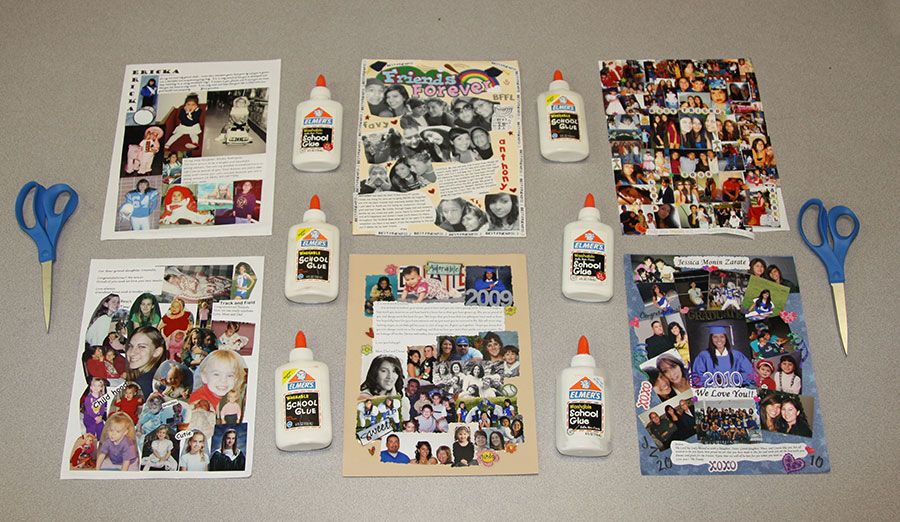
Get some heavy paper (like cardstock or an old manilla folder) and cut it to the size of the ad you wish to buy.
Cut your photos to size and glue them onto the cardstock. View
Turn it in to Activities Office with your payment when you buy the ad.
Original collages can be picked up from B-101 in June.
Option #2
Use Photoshop on the computer
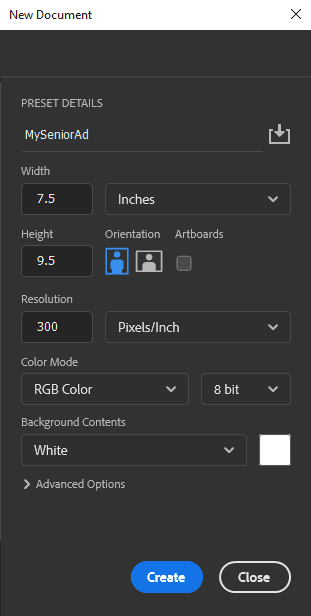
In Photoshop, set up a new file (choose "FILE >> NEW") and use these settings: Screenshot.
Open your other images...copy/paste into the newly created file...etc. etc.
Rasterize any type layers (or just flatten the file) to avoid possible issues with missing fonts
The preferred format is raw Photoshop (.psd).
Burn the file to a CD and turn it in to the Activities Office with your payment when you buy the ad. (or just share the file with
Mr. Crone via Google-drive, DropBox, etc.)
Tip: Most images from the internet are low resolution, and won't look very good in your Senior Ad.
Option #3
Let the yearbook staff build it for you.
Collect a reasonable number of photos for the size ad you plan to purchase (We do not build collages!)
Print out (on a computer) any messages you want included in your ad (handwriting is discouraged...it's hard to read!)
Put it all in an envelope with your student's name on it
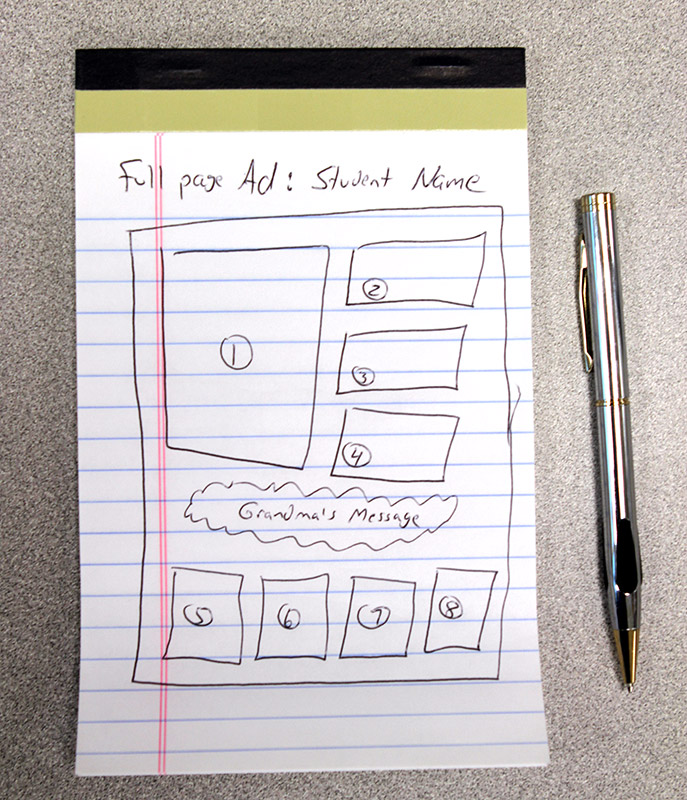
Optional: Number your photos on the back (but don't press too hard or it'll show through!), then draw a layout of how you
would like them arranged: Example
Turn in the envelope to the Activities Office with your payment when you buy the ad.
Original photos can be picked up from Y-6 in June.